
NexLaw 101: Getting Started Guide – Contract Review

Contract Review
Click on Contract Review in the left navigation bar to start.
Choose your role in the contract.
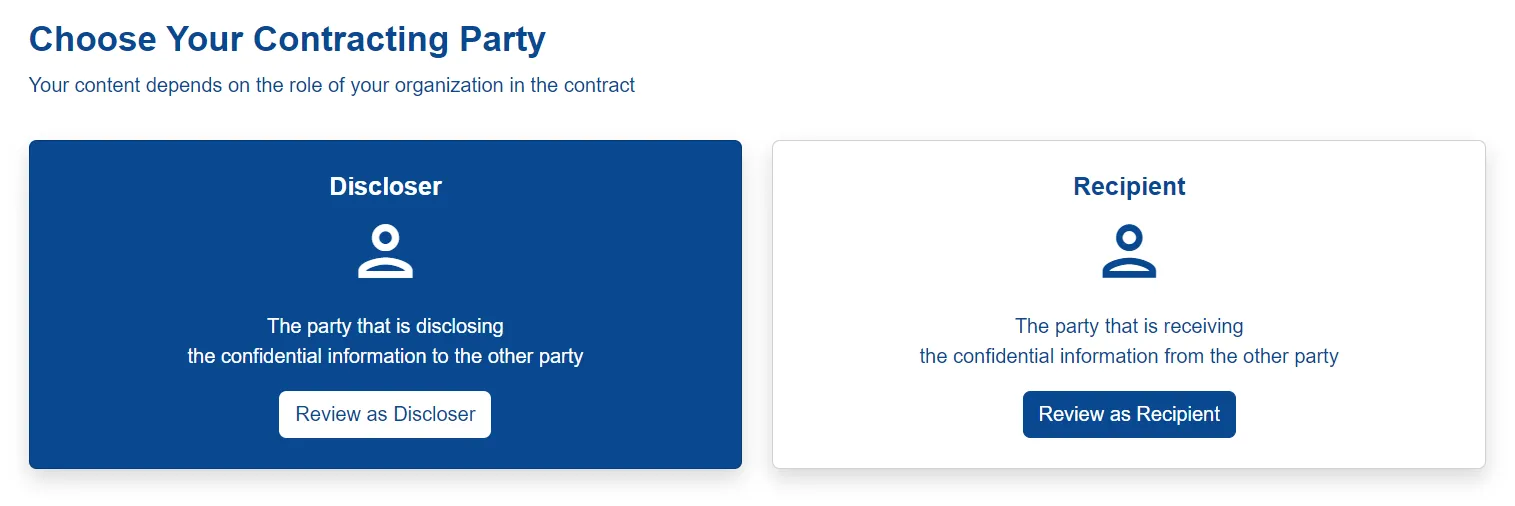
Let’s review a contract as a discloser as an example.
The previous contract documents uploaded by you will be displayed.
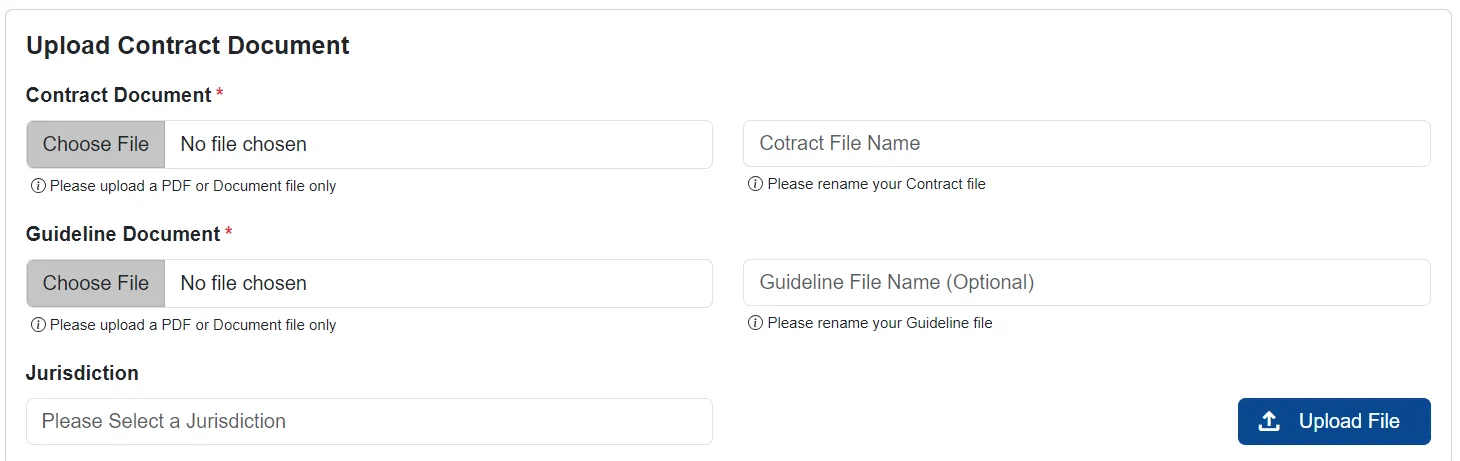
Insert all the necessary details. To review a new contract, upload a contract document in PDF format. NexLaw will analyze your contract within seconds, click Open.
The results will look like this.
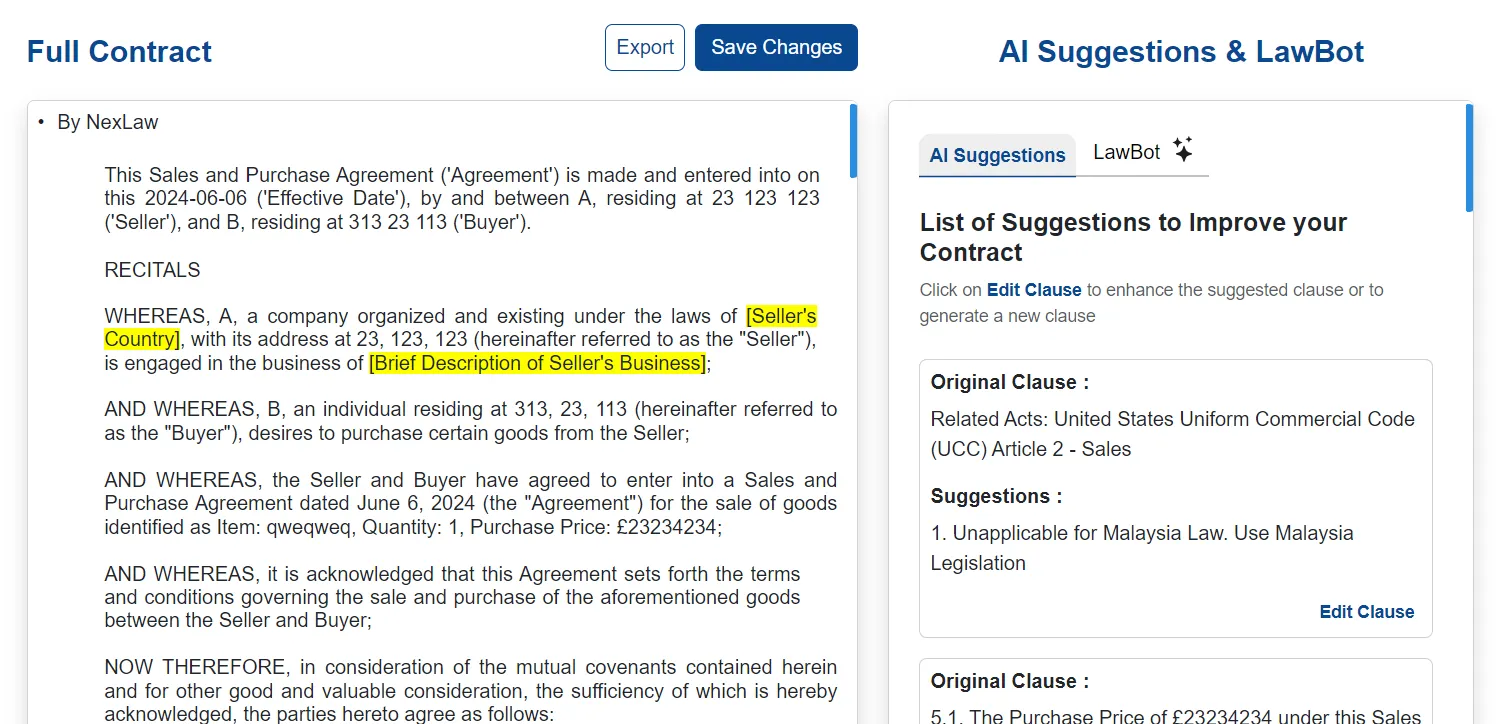
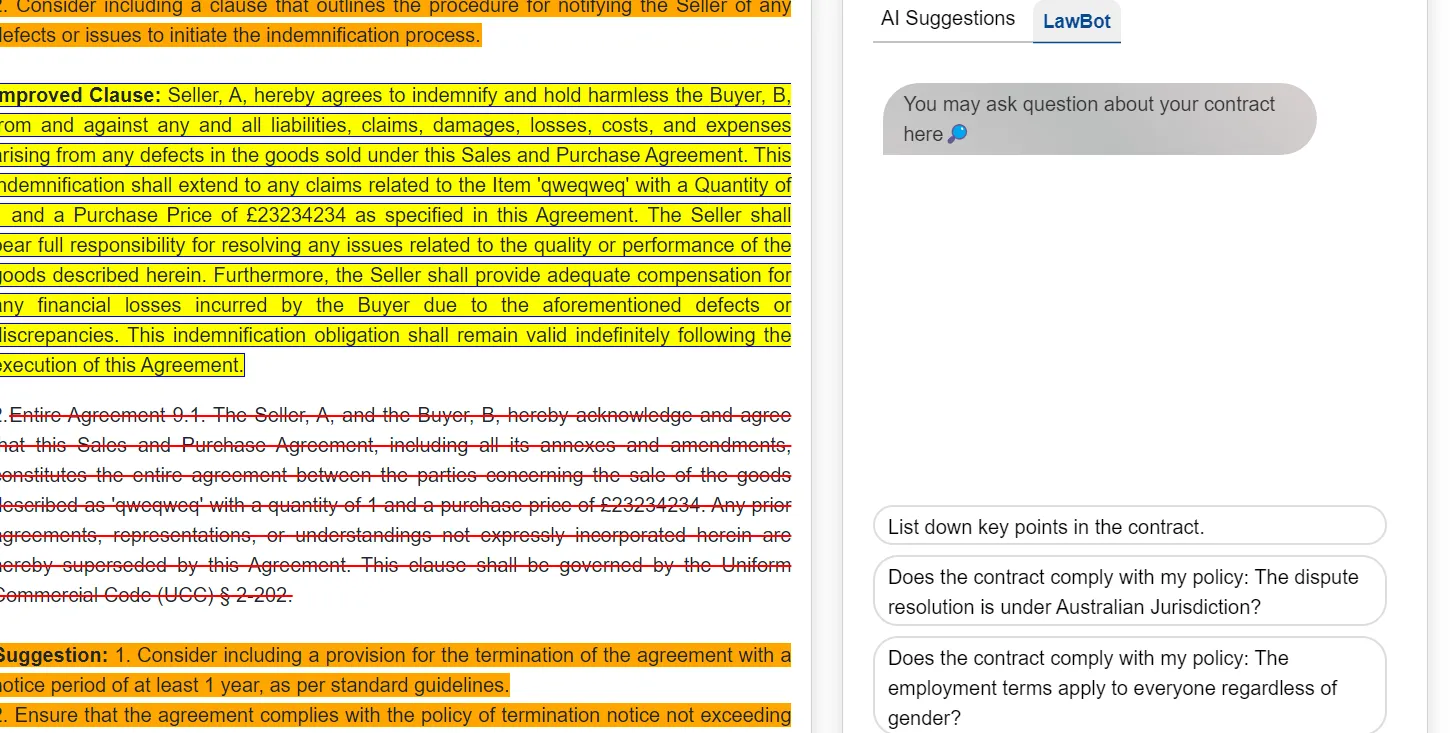
The left section will show the context of your contract.
NexLaw will highlight the parts of your contract that require enhancement or amendment. Click on the highlighted content to view AI suggestions on how to enhance the contract. You can make changes to the contract by following the AI suggestions, reviewing the changes, and replacing the existing content. You can also generate custom AI Suggestion for the amendment.
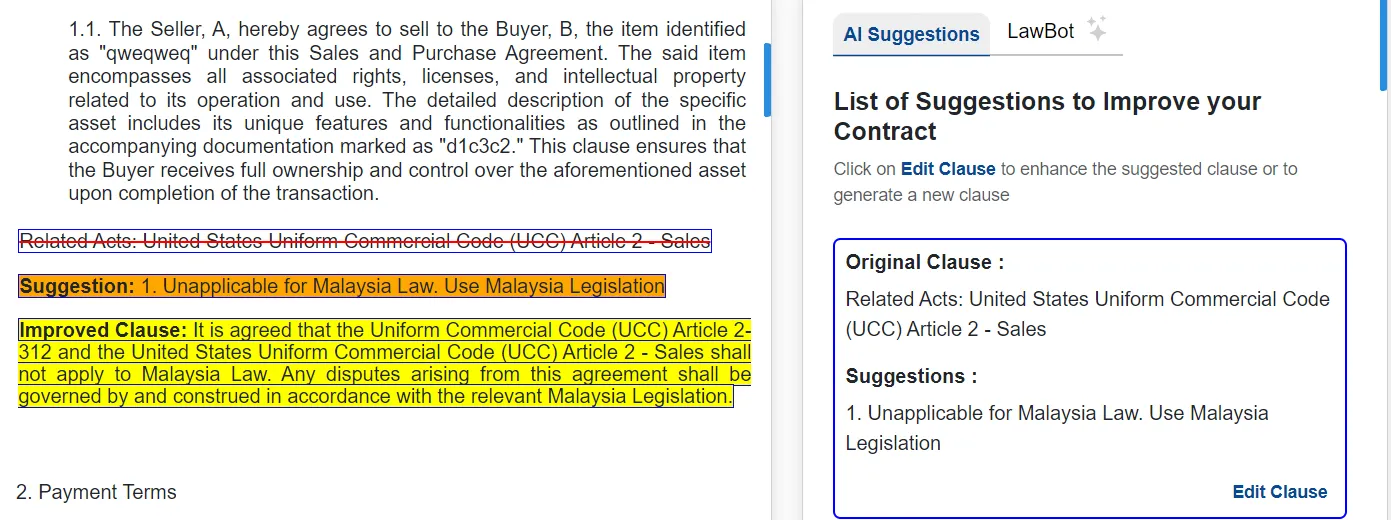
Click on highlighted context and click on Custom AI Suggestion button.
If you are not satisfied with the example or the example doesn’t include your custom key points, you may write your requirements for improvements for the highlighted clause. Click on Edit Clause to enhance the suggested clause or to generate a new clause.

Remember to save your changes using the designated button.
You can export it in PDF or document format.
The right section features a LawBot that can answer any questions about your contract. This saves you time from reading the entire contract on your own.
That’s all about the Contract Review.