








How NexLaw’s Legal Drafting Works
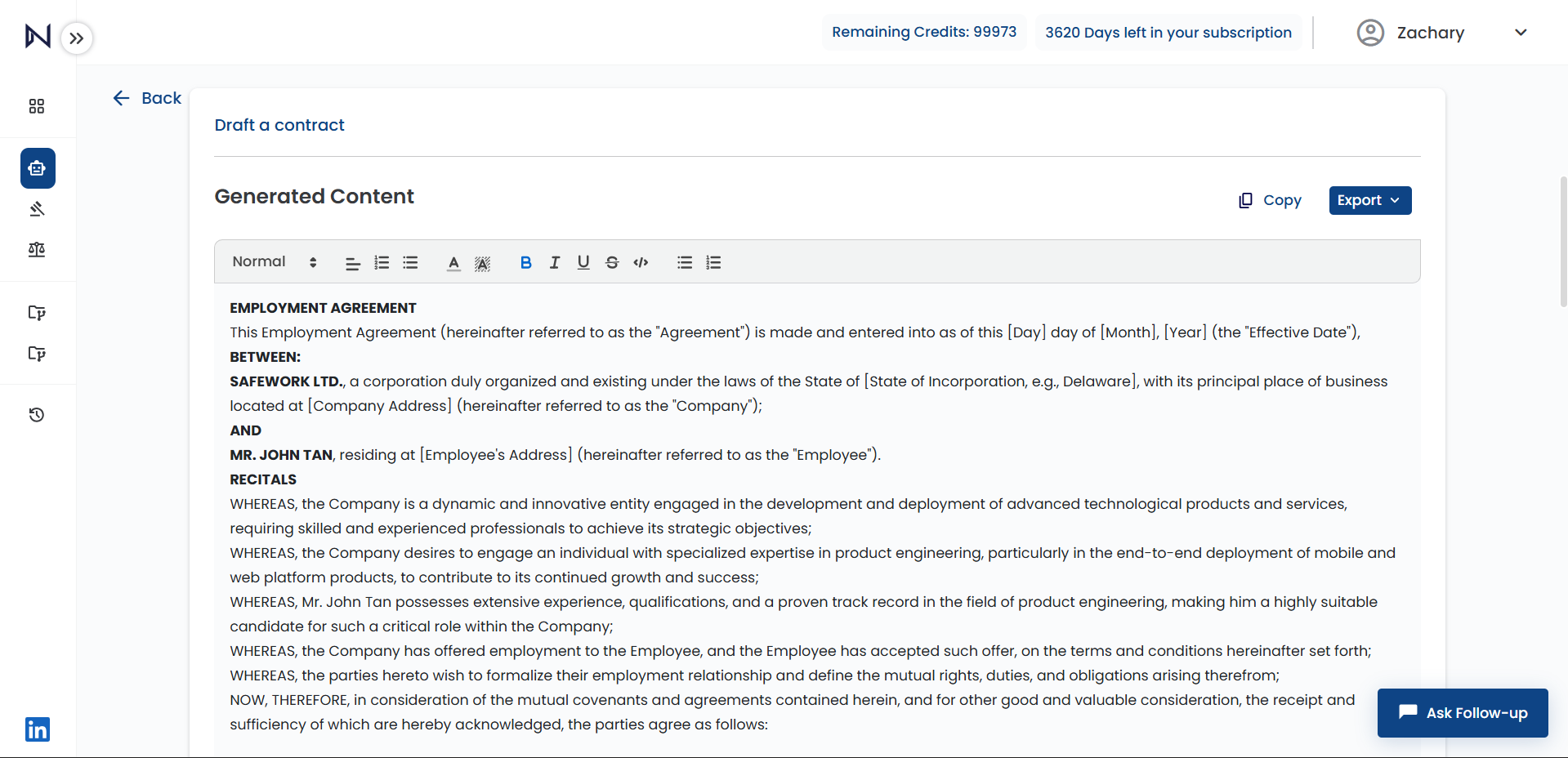
Our AI drafts the way an experienced attorney would — with proper legal analysis, persuasive structure, and court-ready formatting.
1
Tell the AI What You Need
“Draft a motion to dismiss based on statute of limitations.” Or “Write a summary judgment brief arguing no genuine dispute of material fact.”
2
Provide Your Facts & Research
Upload case documents, paste relevant facts, or connect to your research results. Our drafting is grounded in your legal research to ensure accuracy. AI reads and understands the context.
3
AI Generates Complete First Draft
- Proper argument structure (issue, rule, analysis, conclusion)
- Legal standards with supporting case law
- Fact application to law
- Bluebook citations
- Court-specific formatting
3
Refine & File
Edit the AI draft just as you would a junior associate’s work. Export to Word with tracked changes.
Why Attorneys Trust NexLaw for Drafting
5x Faster Than Manual Drafting
What takes 8 hours now takes 90 minutes (10 min AI drafting + 80 min refinement). Spend time on strategy, not typing.
More Profitable Flat-Fee Work
Quote clients $1,500 for a motion that costs you 2 hours instead of 8. Turn previously unprofitable work into profit centers.
Consistent Quality Output
AI produces the same structural quality every time. No more Monday morning drafts vs. Friday afternoon drafts.
Built-In Best Practices
AI applies persuasive writing principles automatically: IRAC structure, topic sentences, smooth transitions, parallel construction.
Learn Your Firm’s Style
Train the AI on your firm’s successful briefs. It learns your preferred tone, argument style, and formatting.
Court-Specific Formatting
Select your court and AI applies proper formatting: page limits, font requirements, citation style, heading structure.
What Makes NexLaw’s Drafting Different
Legal Writing Intelligence
AI doesn’t just generate text — it constructs legal arguments:
- · Issue framing: Opens with clear statement of legal question
- · Rule explanation: Synthesizes case law into coherent legal standard
- · Fact application: Applies law to your specific facts persuasively
- · Counterargument anticipation: Addresses weaknesses proactively
- · Conclusion: Clearly states relief requested
Citation Integration
AI seamlessly integrates citations:
- · Proper Bluebook format (20th or 21st edition)
- · Id., supra, and short form citations used correctly
- · Pinpoint citations to specific pages
- · Parenthetical explanations where helpful
- · Signal usage (see, see also, cf., but see)
Collaborative Drafting
Work alongside the AI:
- · Draft outline, AI fills in sections
- · AI drafts argument, you refine fact section
- · You draft facts, AI generates legal analysis
- · Iterative refinement: “Make this section more aggressive” or “Add more case law support”
Citation Network Analysis
- · Motion to dismiss (12(b)(6), 12(b)(1), etc.)
- · Summary judgment motions
- · Motions in limine
- · Discovery motions (compel, protective order)
- · Preliminary injunction motions
- · Motions for reconsideration
- · Appellate briefs (opening, response, reply)
- · Trial briefs
- · Opposition briefs
- · Reply briefs
- · Legal research memos
- · Client advisory memos
- · Internal strategy memos
- · Complaints
- · Answers
- · Counterclaims
- · Amended pleadings
- · Demand letters
- · Opinion letters
- · Transaction summaries
- · Contract amendments (Before drafting amendments, analyze the contract for risks)
Tone & Style Control
Customize the AI’s writing style:
- · Aggressive: For plaintiff’s counsel in strong cases
- · Measured: For sophisticated federal court practice
- · Plain language: For jury instructions or client communications
- · Academic: For amicus briefs or appellate work
Explore Related NexLaw Features
Legal Document Summarization
Summarize lengthy case opinions to quickly extract holdings and reasoning.
Learn MoreContract Analysis AI
Analyze and extract key terms from contracts with AI-powered insights.
Learn More