
Find Precedents
How to Use Find Precedents
-
Navigate to Find Precedents
From the NeXa sidebar, select Find Precedents.
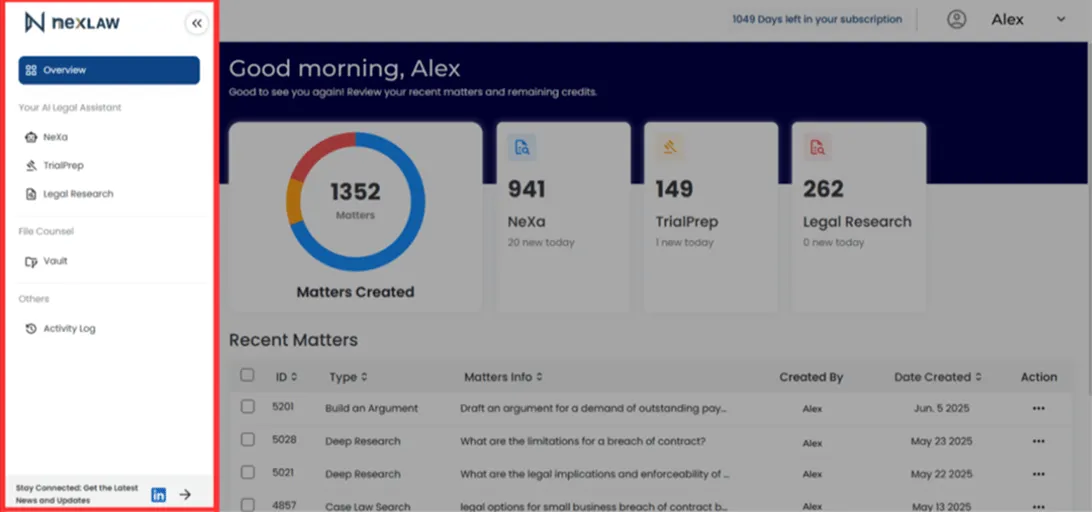
-
Describe Your Case
Provide a brief summary of the case facts or the legal issue you are researching (e.g., “A commercial tenant is breaking a lease agreement due to unresolved maintenance issues.”).
-
Set Jurisdiction and Upload Files
Select the relevant jurisdiction and upload any important documents related to your case to provide additional context.
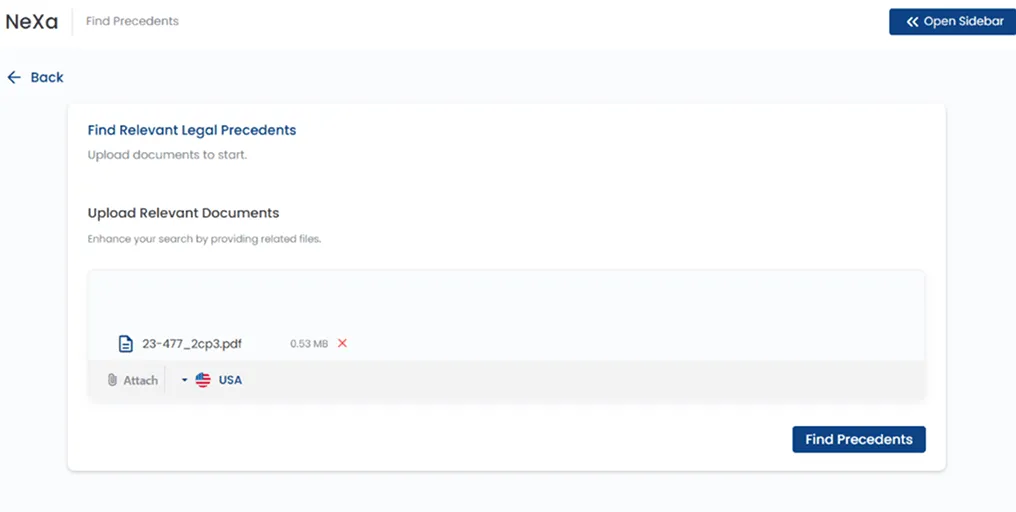
-
Review the Precedents
NeXa will return a list of relevant cases with summaries and links to the full-text decisions. Use follow-up questions to narrow your search (e.g., “Find cases where the landlord was found liable for failing to make repairs.”).